Proof of Concept: Fast Data Exploration Tool
A high-performance terminal UI for exploring and querying data with DuckDB. Built for data professionals who value speed and efficiency over GUI convenience.
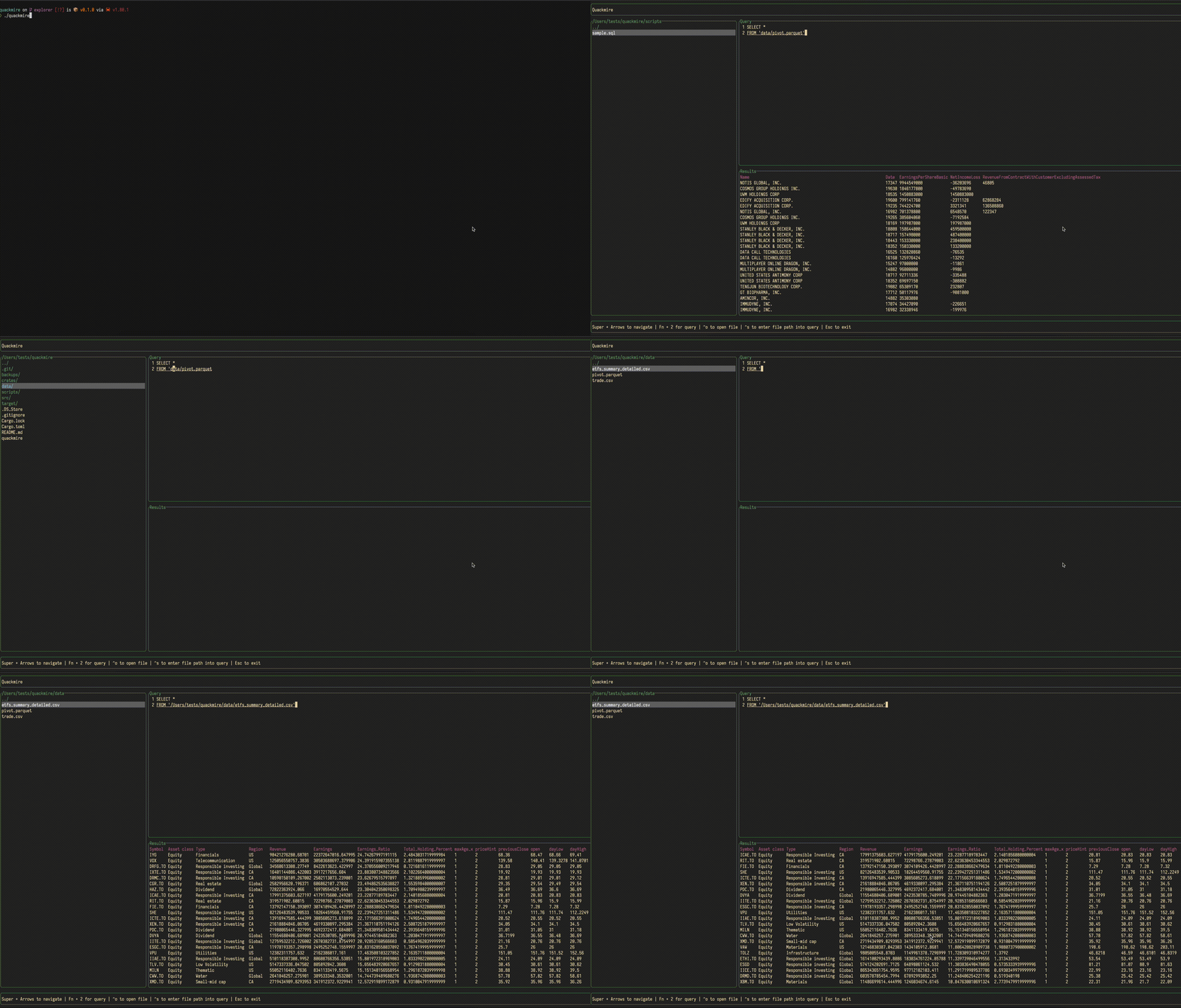
Removes friction from the exploration process: built-in file browser, multi-line SQL editor, immediate execution, and keyboard-optimized workflows. Reduces time from raw data to validated insights.
Demonstrates how purpose-built tools increase productivity. Fast iteration on data exploration directly accelerates business decision-making.
Key Features
- Built-in File Browser: Navigate and query data files without context switching
- Multi-Line SQL Editor: Write and execute complex queries without friction
- Instant Tabular Results: Fast feedback loop for iterative analysis
- Error Handling: Clear feedback when queries fail, minimal time troubleshooting
- Keyboard-Optimized: Power users can navigate and execute entirely from keyboard
Why This Matters
In data-driven organizations, iteration speed directly impacts competitive advantage. Tools that remove friction allow faster hypothesis testing and faster decision-making.
Terminal UI design reflects real operational needs: lightweight, low-overhead, works in any environment. Demonstrates how thoughtful UX design in developer tools increases productivity without sacrificing functionality or increasing operational overhead.
Core Technologies
- Language: Rust
- TUI Library: ratatui
- Database Engine: DuckDB
Installation
To install Quackmire, you need to have Rust and Cargo installed on your system. Clone the repository and build the project:
git clone https://github.com/yourusername/quackmire.git
cd quackmire
cargo build --release
Usage
To start Quackmire, run:
./target/release/quackmire